

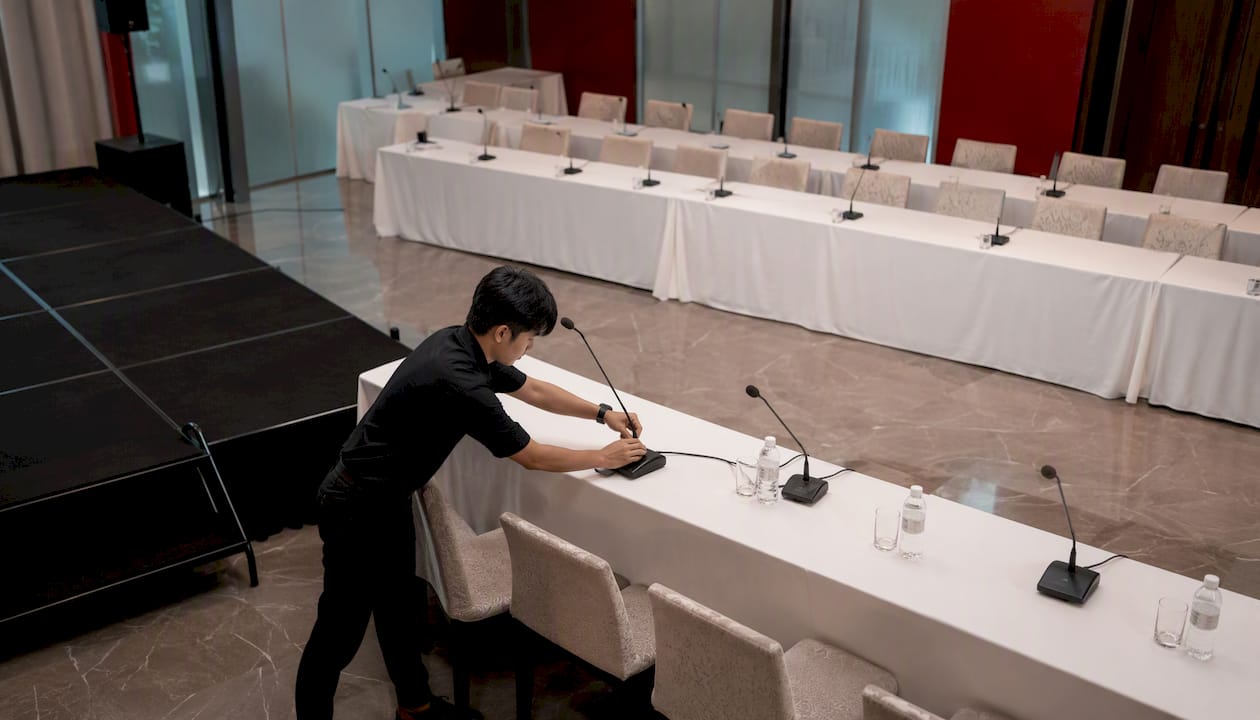
A press conference setup that works comes down to five things: a tested main microphone, an isolated press mult box feed, clean sightlines for photographers, a rehearsed run of show, and a backdrop that reads clearly on camera. Get those right within a 1 to 2 week lead time and you’re camera-ready. Here’s the one-page version to print or copy before you go further.
A press conference setup succeeds when audio redundancy, a properly placed press riser, and a rehearsed run of show all come together at least a week before doors open.
| Point | Details |
|---|---|
| Lock the message first | Write one paragraph and 3 to 5 key messages before booking any AV or furniture. |
| Book AV and venue early | Confirm venue, AV supplier and press riser 2 weeks out to avoid last-minute scrambles. |
| Isolate your audio feeds | Use a press mult box with isolated outputs; never rely on house sound for broadcast quality. |
| Rehearse the full sightline | Walk every camera angle from riser height during technical rehearsal, not on the day. |
| Treat AV as a partner | Bring your AV provider in at the planning stage, not two days before the event. |
Before touching any furniture or AV, write a single paragraph answering who, what, where, when and why. This becomes your press advisory headline and the backbone of your run of show. Pull 3 to 5 key messages from it and hand these to every speaker.
Pro Tip: Cap each speaker at 3 to 5 minutes. Journalists lose attention fast, and a tight message survives editing far better than a rambling one.
Plan on some lead time as a minimum. Within that window, book your venue and AV supplier, run a site survey, and finish with a full technical rehearsal, the last checkpoint before the room opens.
A hotel ballroom, convention centre hall or mall atrium each demand different checks. Sightlines and ceiling height matter as much as capacity, and power capacity often gets overlooked until the AV crew arrives and finds one 13A socket for everything.
Pro Tip: Always ask the venue for their technical rider or house rules document before booking. It’s the fastest way to spot a power or access problem before it becomes a day-of crisis. Our guide on what to look out for from venues when organising your event covers the questions worth asking every venue manager.
Choose speakers for clarity, not seniority alone, and appoint one moderator to keep timing and fielding questions under control. Limit the panel to what the message needs. Three focused speakers beat six who each want equal airtime.
Our piece on hosting a seamless executive forum has a useful run-of-show template that adapts well to press briefings with multiple speakers.
Your press advisory needs a one-line headline, then who, what, where, when and why in short sentences, plus a media contact and a link to your press materials. Keep it scannable. Journalists skim before they read.
Layout decides whether your coverage looks professional or amateurish. Theatre-style seating suits large announcements; tiered seating helps smaller rooms give everyone a sightline; hybrid layouts need a dedicated camera lane separate from seated media.
A press riser at centre rear, or occasionally to one side if the room is narrow, gives photographers and videographers an elevated, unobstructed view without blocking seated journalists. Riser footprint and height should match your expected number of photographers and camera types, and its placement always needs to respect emergency egress routes and sit clear of lighting rigs.
Pro Tip: Run this sightline check during your technical rehearsal, not the morning of. A ten-minute walk-through from every camera angle catches problems while you still have time to fix them. For furniture placement and accessible seating specifics, our media event furniture setup guide walks through this in more detail.
Audio failure is the fastest way to derail an otherwise well-run briefing. A buzzing lapel mic or a dropped feed undermines the announcement no matter how strong the message was.
The essential kit list: a podium or lavalier mic for the main speaker, hand mics for the Q&A portion, DI boxes where needed, a press mult box (sometimes called a press box) that splits the main audio into isolated outputs, and a mixer that keeps those media feeds separate from the room’s PA. Isolated circuits matter here because a shared feed picks up hum, and a hotel’s house sound system is built for speeches, not for feeding a dozen broadcast crews clean audio simultaneously.
Pro Tip: Treat your AV provider as a communications partner from day one, not a supplier you call two days before. Bringing them in at the planning stage, rather than after the layout is fixed, is what makes the audio genuinely invisible on the day.
Power planning matters here too. If you’re running multiple isolated circuits for media feeds and lighting, a power risk assessment checklist is worth reviewing before you finalise your electrical load.
Remote journalists and hybrid attendees need their own consideration, not an afterthought bolted on the morning of. A dedicated speaker camera close to eye level, plus a wide shot covering the full stage, gives remote viewers both intimacy and context.
Screens should be positioned so both the in-room audience and the camera lens can read slides and branding without glare. Avoid placing screens directly opposite windows or bright house lights.
Three-point lighting, key, fill and back, is the baseline for making speakers look natural rather than washed out or shadowed. High-CRI fixtures render skin tones accurately, which matters far more on camera than the human eye suggests.
Your backdrop needs distance from the speaker so shadows don’t fall across the logo, and your branding needs to be large enough to read on a mobile phone screen, not just a cinema-sized broadcast monitor. High contrast between logo and background colour matters more than the design itself.
Pro Tip: Keep a small, clearly bounded prop area for product demos. A cluttered stage distracts from the message and gives photographers an awkward frame to work around.
A sample run sheet for a mid-morning briefing might look like: crew arrival and rigging (2 hours before), mic checks and camera blocking (90 minutes before), full rehearsal with speakers (60 minutes before), doors open (30 minutes before), live start, Q&A, and close.
Our event furniture checklist for organisers pairs well with this run sheet if you want a single printable reference for the day.
A press kit needs a short press release, speaker bios, high-resolution images, B-roll footage and a media contact, delivered as a secure download link rather than a bulky email attachment.
Costs concentrate in a few areas: venue hire, AV and technical crew, staging and riser hire, lighting, live streaming, photography, and press kit production. Spend on audio and the mult box first; a poor camera angle is forgivable, poor sound is not.
Press coverage quality tracks two decisions more than any other: whether you gave the AV provider enough lead time, and whether you built a proper press riser instead of letting photographers scramble at floor level.
A press riser keeps the media pack organised, protects camera sightlines, and becomes disproportionately valuable as the number of photographers and camera crews grows. Coordinating riser height and footprint with your lighting plan and emergency egress routes isn’t optional. It is what separates a clean broadcast shot from a cluttered one.
The same failures show up again and again: skipping the technical rehearsal, relying on house sound instead of a mult box, ignoring sightlines until photographers complain on the day, and moving furniture last-minute without rechecking camera lines. Each has a one-line fix: rehearse, isolate your feeds, walk the sightlines early, lock the layout before load-in.
Pro Tip: Build redundancy into audio and streaming from the start, not as an afterthought once something has already failed once.
Events Partner has coordinated furniture, risers and sightline planning across Singapore’s hotel ballrooms, convention halls and mall atriums for years. The pattern holds everywhere: the setups that go smoothly are the ones planned as a system, not assembled piece by piece on the morning itself.
Ready to lock in your press riser, head table and staging? Browse event furniture rental for the pieces that make up a press conference setup, or look at conference furniture rental if you need rostra and risers specifically for a media briefing. Events Partner delivers, sets up and collects, so your team can focus on the message rather than the logistics.

Define your core message, book a venue with good sightlines and power capacity, confirm AV including a press mult box, brief your speakers, and run a full technical rehearsal at least a day before doors open.
Theatre-style seating suits large announcements, tiered seating works well in smaller rooms, and a centre-rear press riser gives photographers a clean, elevated sightline without blocking seated journalists.

Expect a podium or head table facing rows of seated media, a press riser at the back for photographers and camera crews, branded backdrop behind speakers, and a moderator managing the Q&A after opening remarks.
Speakers should stick to their 3 to 5 key messages, keep opening remarks to 3 to 5 minutes each, and let the moderator field and redirect questions rather than improvising new claims on the spot.



 Delivery Fees
 Payment Methods
 FAQ