

For most VIP speeches, an executive acrylic lectern or a classic timber lectern with an integrated microphone offers the strongest mix of presence and practicality. Digital or powered lecterns suit tech-forward launches where built-in sound matters more than ceremony. The right pick comes down to three things: visual presence, AV integration and accessibility. This guide covers how to choose and where to source each type.
TL;DR:
- Acrylic can glare under spotlights and show fingerprints, while timber gives a warmer look; check finishes under venue lighting and confirm branding lead times.
- Match microphone type to speaker movement, and confirm power, inputs, and patch point location; outdoor events may need a separate PA or backup power.
- Choose adjustable height when speaker heights vary, and verify wheelchair approach width, nonslip feet, dais handrails, and stability before the event.
- Place the lectern to preserve screen and logo sightlines from the back row, while keeping the speaker clear of the stage edge and camera obstructions.
Rostrum, podium and lectern get used interchangeably on most event briefs, but the distinctions matter once you are briefing a venue or a supplier. An elevated stand with a sloping top built to hold notes is properly called a lectern, a term with a defined place in Getty’s Art & Architecture Thesaurus. Using the correct word in your tech rider avoids the venue sending the wrong item on event day.
Executive acrylic lectern. Clean lines, a minimal footprint and a surface that reads as modern under stage lighting. It suits product launches, press briefings and any VIP moment where the brand wants a contemporary, uncluttered look. The main planning note is fingerprints and smudging on glossy acrylic, so budget time for a wipe-down before the VIP steps up.

Clear or acrylic podium. Similar material to the executive version but often a simpler profile, used where the podium is a supporting prop rather than the visual centrepiece, such as award presentations where the backdrop carries the branding.
Classic wooden or timber lectern. The strongest choice for ceremonial, diplomatic or state-style occasions. Timber tones photograph warmly under stage lighting, which is why formal ceremonies and solemnisation events lean on this style rather than acrylic or metal finishes.
Metal or industrial-finish lectern. Sits well in exhibition halls and trade show environments where the surrounding stand design is already metal and glass. It is heavier to transport than acrylic, so factor that into loading and lift access at the venue.
Digital or powered lectern. Built-in amplification, integrated screens and sometimes wireless microphone support come standard on this category, with features such as built-in amplifiers around 260W and wireless mic compatibility common on supplier listings. These work well for outdoor roadshows or venues with limited AV infrastructure, since the unit carries its own sound reinforcement.
Portable or collapsible rostrum. Built for roadshows, pop-up activations and any event that moves between venues in a single day. Lightweight frames trade some visual weight for fast setup and easy transport.
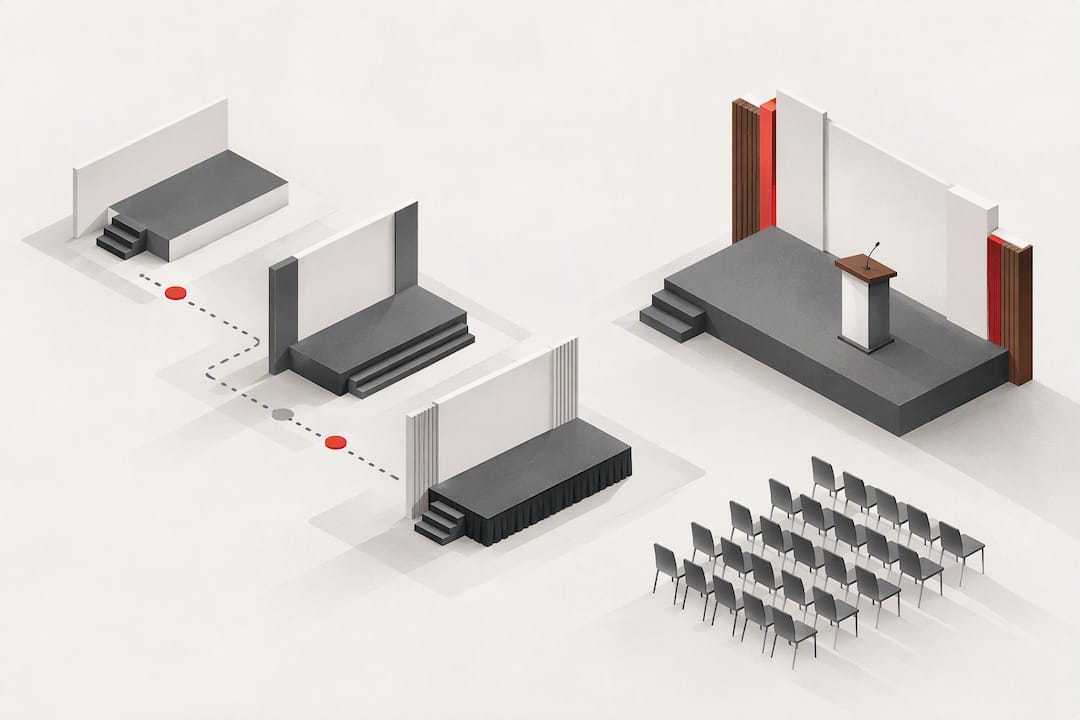
Raised dais or podium platform. A dais is a raised platform, distinct from a lectern, used to elevate a speaker or a small group above the audience line of sight. Galas, award nights and multi-speaker panels often combine a dais with a lectern on top of it.
Sightlines matter as much as material. A rostrum placed too close to a screen or backdrop can block text or logos from the audience’s view, so always check the sightline from the back row, not just from the front.
Material choice shapes how formal or modern a VIP moment reads on camera, and it interacts directly with stage lighting. Acrylic surfaces catch reflections from spotlights, which can look sleek or create distracting glare depending on the angle of the rig. Timber and veneered wood absorb light rather than bounce it, giving a warmer, more traditional look that tends to suit formal ceremonies and diplomatic events. Metal and mixed-material lecterns sit between the two, often paired with branded panels for exhibition stands.
For bespoke finishes, vinyl wraps and internal logo panels are the most common additions, and both need a confirmed design file and a realistic lead time from the supplier. A rushed branding job on the morning of the event is the easiest way to end up with bubbling vinyl on camera.
Pro Tip: Ask to see the rostrum under the venue’s actual stage lighting before the event, not just in a catalogue photo, since glare and shadow behave differently once the rig is live.
Nothing undermines a VIP moment faster than a dead microphone or a gooseneck stand that will not hold position. Confirm the microphone mounting style before the lectern is even confirmed: integrated gooseneck mics suit a fixed VIP speaking position, detachable mics give more flexibility for multiple speakers sharing a rostrum, and lavalier mics work best when the VIP needs to move away from the lectern mid-speech.
Lecterns with built-in amplifiers or loudspeakers remove the need for a separate PA feed, but they still need checking for power type, phantom power on the mic input, the number of available inputs, and any assistive-listening link the venue uses. High-end auditorium AV setups typically patch lectern microphones through floor panels into a central console, with multiple input types such as XLR and HDMI available at the patch point, so confirm exactly where that patch point sits on stage before the VIP walks on.
Venue technical specifications commonly list rostrum and riser items by exact dimension, including units such as a grey rostrum entry alongside riser products like Nivoflex or Butec, with footprints and leg heights stated for each. Matching your rostrum footprint to the riser leg height stated in the venue’s tech spec avoids a mismatched step height on the day.
Outdoor or long-duration events add one more line to the checklist: pairing the rostrum with a standalone PA system or UPS backup, since mains power is not always guaranteed at outdoor sites.
A typical single-speaker lectern footprint is compact, suitable for shorter formal presentations but may feel cramped for a VIP using multiple items like notes, a tablet and a water glass at once. Height matters as much as footprint: a fixed-height lectern built for an average adult speaker can sit awkwardly for a notably taller or shorter VIP, so adjustable-height models are worth the extra line item when the speaker list is not finalised yet.
A dais adds a layer of risk that a floor-standing lectern does not: trip hazards at the step edge, and the need for a handrail once the platform rises above a modest height. Confirm these details with the venue or supplier before the day, not as a walk-through item an hour before doors open.
Where the rostrum sits onstage shapes how the VIP is framed in photographs, on the live stream and from the back row. Centre stage gives the strongest symmetry for formal ceremonies and solemnisation events, while a stage-left position suits formats where a screen or projection dominates the centre of the backdrop. Distance from the stage edge should give the VIP enough room to step back comfortably without drifting into the front row’s sightline.
For programmes with multiple VIP speakers, plan a handover protocol in advance. A named stagehand adjusting mic height, swapping lavalier packs and resetting cue cards within a tight window keeps the pacing of a formal ceremony intact rather than leaving dead air between speakers. Coordinate this with the stage crew during the technical rehearsal, not during the live run.
Choosing the right rostrum comes down to five factors, roughly in this order of priority for a VIP moment: the impression it needs to make, the AV it must support, accessibility for the specific VIP, how it gets in and out of the venue, and what it costs against the rest of the production budget.
When you contact a supplier or venue, ask directly: what power supply does the unit need, which mic types come included, what does the unit weigh, and how much lead time is needed for custom branding. These four questions catch most of the surprises that derail a VIP staging plan.
A simple decision matrix helps at the proposal stage: a state or solemnisation ceremony points to a timber lectern, a product launch points to acrylic or digital, an exhibition keynote points to metal or acrylic depending on the stand design, and a multi-venue roadshow points to a portable, collapsible unit.
Pro Tip: Send your supplier a one-paragraph quick-spec request rather than a long brief: event date, VIP count, preferred finish, mic requirement and venue name is usually enough for a supplier to return relevant options within a day.
For a fuller walkthrough of how to brief production and furniture needs together, our event production furniture brief covers the same checklist in more depth. If the F&B element of your event is as important as the staging, coordinating rostrum placement with the room layout matters in restaurant-style event venues too, where floor space is tighter than a standard ballroom.
We offer options such as Executive Acrylic Rostrum and Classic Acrylic Rostrum suitable for VIP speeches, product launches and formal presentations. They are part of a wider event furniture inventory alongside chairs, tables, lounge furniture and bar counters. A rostrum order can be planned alongside the rest of a stage or reception setup in one conversation.
For a wider view of how rostra sit within the rest of a venue’s furniture plan, our event furniture categories guide breaks down each category in turn, and our MICE furniture rental guide covers the AV co-ordination side for conference and exhibition settings specifically.
Once you know which rostrum style fits your VIP moment, the next step is simple: browse our Executive Acrylic Rostrum and Classic Acrylic Rostrum listings, or send your event details through Partner™ to get a quote back quickly.

Delivery, setup and teardown are included as part of our standard service, with fees scaled by time window and truck size so you know the full cost before you commit. Whether you are staging a single VIP speech or a full multi-speaker ceremony, we can quote the rostrum alongside chairs, lounge furniture and staging pieces in one order. Get in touch through Partner™ or browse our event furniture rental page to see current stock and start your request.
A rostrum traditionally refers to a raised platform a speaker stands on, though in everyday event language it is often used interchangeably with lectern or podium. In practice, most VIP rostra combine a raised platform with a sloped-top stand for notes, built from acrylic, timber or metal depending on the event’s formality.
A dais is specifically a raised platform used to elevate a speaker or a small group above the audience, while a rostrum and lectern more often refer to the stand itself that holds notes and a microphone. Many formal events combine both: a lectern placed on top of a dais for extra visual height.
In a religious setting, a rostrum generally refers to the raised stand from which readings, sermons or addresses are delivered, similar in function to a pulpit or lectern. The exact term used varies by denomination and venue, so it is worth confirming the preferred wording with the venue before finalising a brief.
Acrylic suits modern launches and press briefings where a sleek, contemporary look matters, while timber suits ceremonial, diplomatic or solemnisation events where a warmer, more traditional appearance under stage lighting is the priority. The choice usually comes down to the tone of the event rather than budget.
A lectern with a built-in amplifier can cover sound reinforcement for smaller indoor rooms, but outdoor events or larger venues often still need a separate PA system or backup power source. Checking the venue’s existing AV setup before the event avoids relying on a single point of failure for VIP sound.



 Delivery Fees
 Payment Methods
 FAQ
FAQ